
Introduction
If your app involves routing, navigation, or distance calculation, the ORS Directions API is a robust, scalable solution to build on. Powered by OpenRouteService and enriched with OpenStreetMap data, this API helps developers build custom route-planning tools without vendor lock-in.
Whether you're building a logistics app, map-based UI, or delivery service, ORS via Deploily provides fast and reliable route generation across different transportation modes — all while keeping your data usage transparent and local.
🛠️ Use Case: Getting Directions Between Two Locations
Scenario:
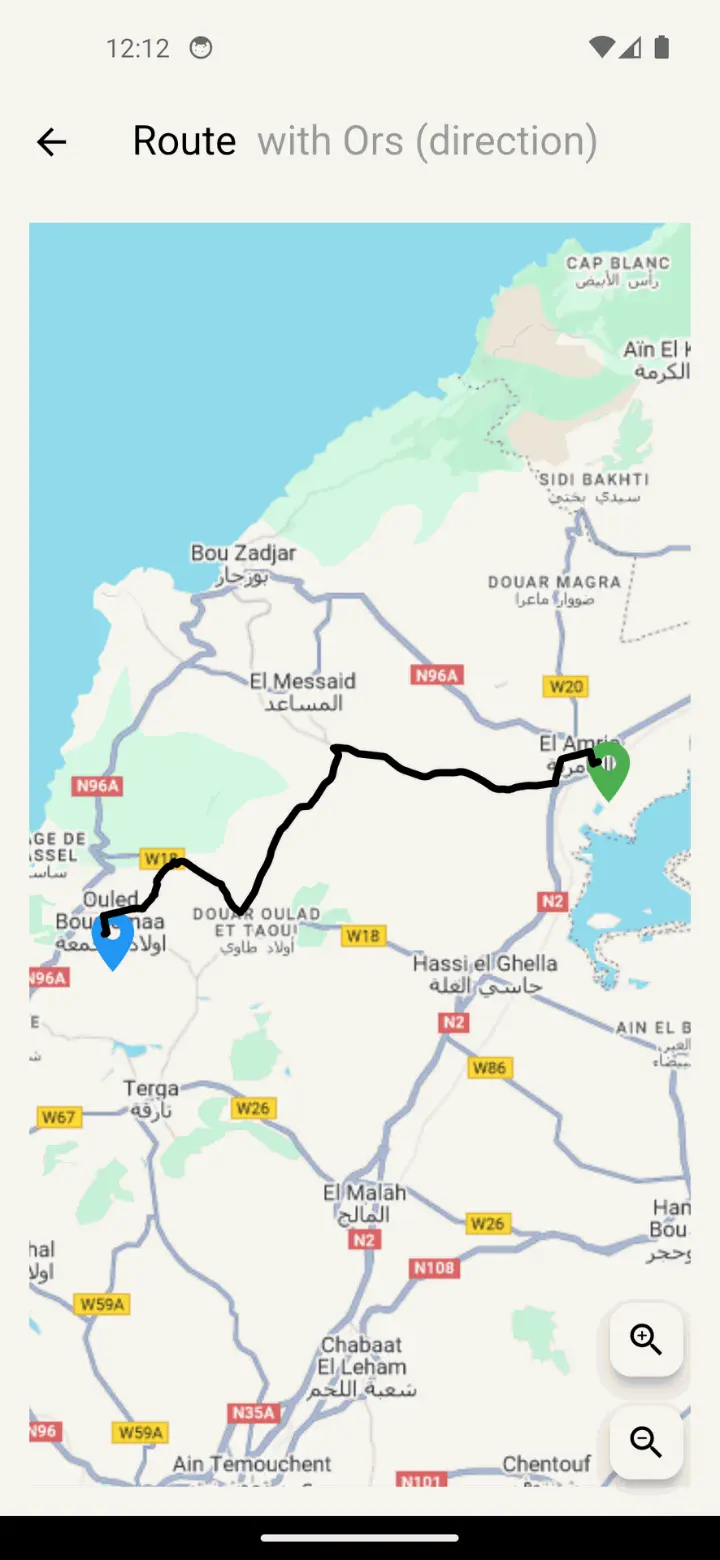
You want to display the best route between two coordinates (e.g., start and destination) on your map, based on the selected transport mode (e.g., car, bike, foot).
How It Works:
- The user selects a start and end location.
- You send a request to the ORS API via Deploily.
- The API returns the best route (as GeoJSON).
- You draw the route on a Flutter map.
Benefits:
- 🚗 Support for multiple transport modes (car, foot, bike, etc.)
- ⚡ Fast route calculations
- 📦 Lightweight response in GeoJSON
- 📍 Ideal for map apps, delivery, mobility, or travel platforms
🌍 What Is the ORS Directions API?
The OpenRouteService (ORS) API provides high-quality routing powered by open data from OpenStreetMap. Through the /v2/directions/{profile} endpoint, it returns optimal paths between two geographical points based on your selected profile.
It supports:
- Driving (driving-car)
- Cycling (cycling-regular)
- Walking (foot-walking)
- And more...
📘 You can also read the full API documentation here : ORS API Docs
📍 Project: Displaying Routes Using ORS API
In this project, we demonstrate how to:
- Calculate a route between two points.
- Visualize it on a Flutter map.
- Use a clean GeoJSON output to render polylines.
🔗 Clone the Project
git clone https://github.com/transformatek/flutter-examples.git
cd flutter-examples
📦 Install Dependencies
Make sure you have Flutter installed, then run:
flutter pub get
🔐 Get Your API Key from deploily & set in your code
'apikey': 'your_api_key'
⚙️ How the ORS Directions Service Works in Flutter
Let’s break down the logic of route calculation using the OpenRouteService Directions API (via Deploily) in a Flutter app.
🔐 The API key is added in the request header:
final headers = {
  'accept': 'application/geo+json, */*',
  'apikey': 'your_api_key', // Replace with your real API key
};
🚗 Get a Route Between Two Points:
final headers = {
  'accept': 'application/geo+json, */*',
  'apikey': 'your_api_key', // Replace with your real API key
};

final params = {
  "start": "${start.longitude},${start.latitude}",
  "end": "${end.longitude},${end.latitude}",
};

final uri = Uri.parse("https://api.deploily.cloud/ors/v2/directions/driving-car")
    .replace(queryParameters: params);

final response = await http.get(uri, headers: headers);
- The API returns a GeoJSON object containing the full route.
- The app extracts the coordinates.
- The route is displayed as a polyline on the map between the start and end points.
▶️ Run the App
flutter run
🗺️ Output
You’ll see a Flutter app where users can:
- Select a start and end location
- Request the optimal route in real time
- View the route displayed as a polyline on the map
📁 Source Code
You can find the full code on GitHub:
🔗 ORS Directions GitHub Repository
🔐 Subscribe to the ORS Directions API via Deploily
✅ Step 1: Visit the Deploily Website
Go to the official website:
 Then click on “Get Started” to access the API Developer Portal.
🌐 Step 2: Access the Developer Portal
You will be redirected to:
🔗 https://console.deploily.cloud/en/portal/home
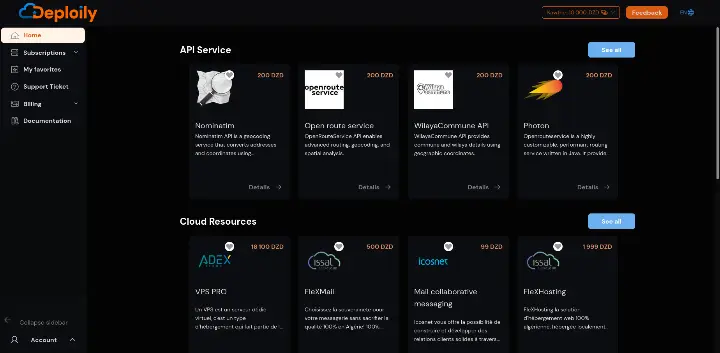 Here, you will see a list of available APIs. Look for Open Route Service API.
🔍 Step 3: Choose Your API Plan
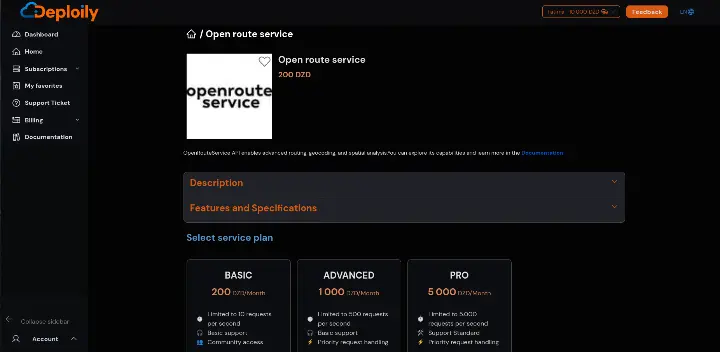
Click on Open Route Service API to see the details. Then choose a pricing plan
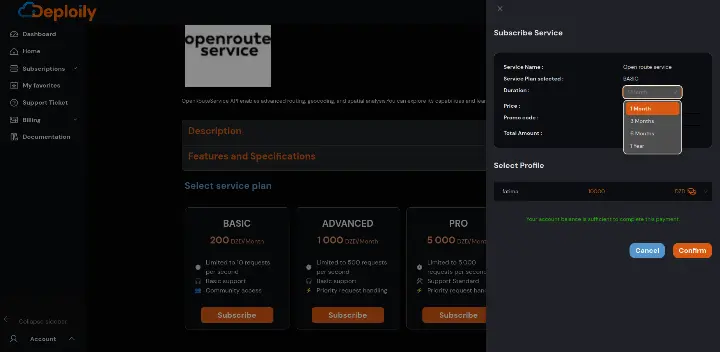
Click on the Subscribe button, specify the subscription period that meets your needs and confirm your subscription.
🔐 Step 4: Access Your Subscriptions and Generate Your API Key
After subscribing:
1.Go to the “My APIs” section.
2.Find your subscription to Open Route Service API.
3.Click on “Settings”.
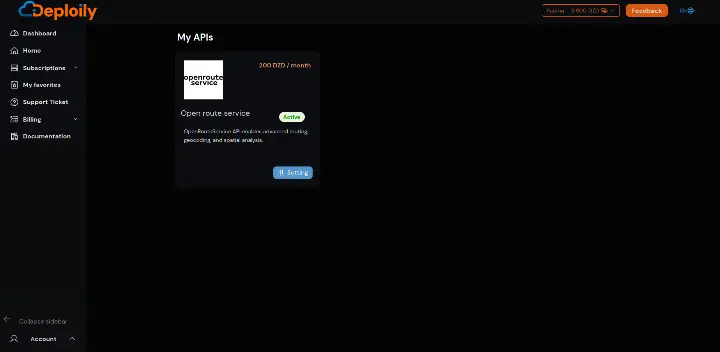
4.Click “Generate Key” to obtain your API key.
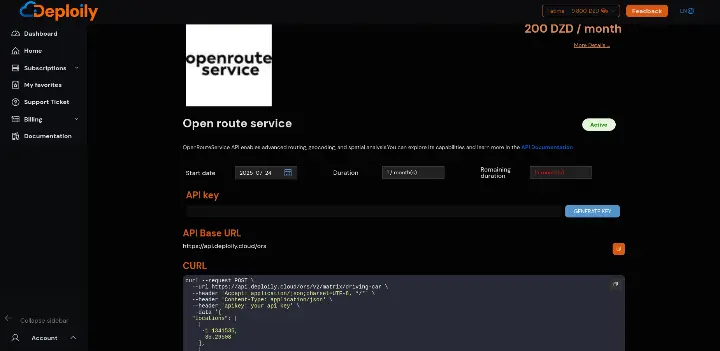

💡 Step 5: Test the API with Curl
Click on “API Documentation”
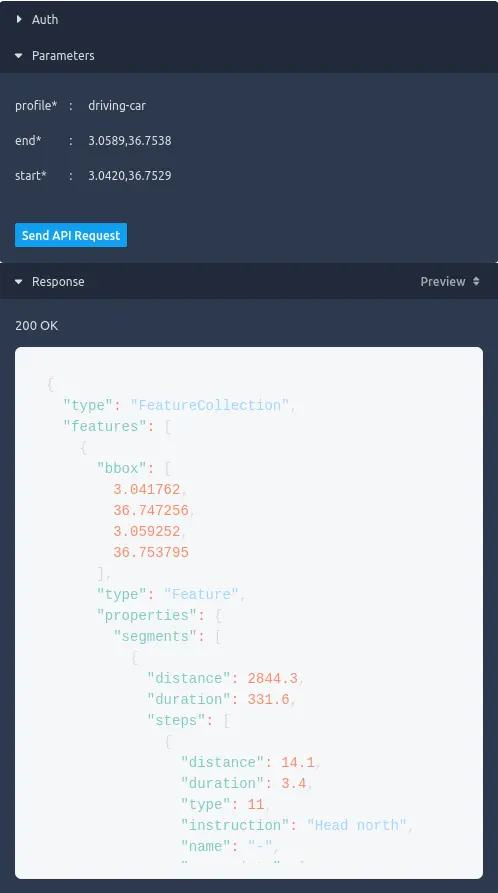
- in API Test Interface:
- Add Your API Key generated.
- Fill in the Required Parameters & send request
✅ Result
If everything is correct, you’ll receive a live JSON response like this:
🧭 Conclusion: Fast Routing with Deploily ORS
For any app that depends on routing intelligence, OpenRouteService via Deploily is the open-data-powered solution you need.
Whether you’re delivering food, navigating users, or tracking vehicles — this API helps you build with confidence, flexibility, and speed.