
📌 Introduction
If your application collects addresses from users, you’ll often need to convert them into precise GPS coordinates for mapping, delivery, or geospatial analytics. That’s where the Nominatim API by Deploily comes in.
This geolocation tool helps you convert addresses to coordinates and coordinates to addresses — accurately and securely — using Deploily’s hosted infrastructure built on top of OpenStreetMap.
🎯 Use Case: Show Nearest Clients on a Map Based on User Location
🔍 Scenario:
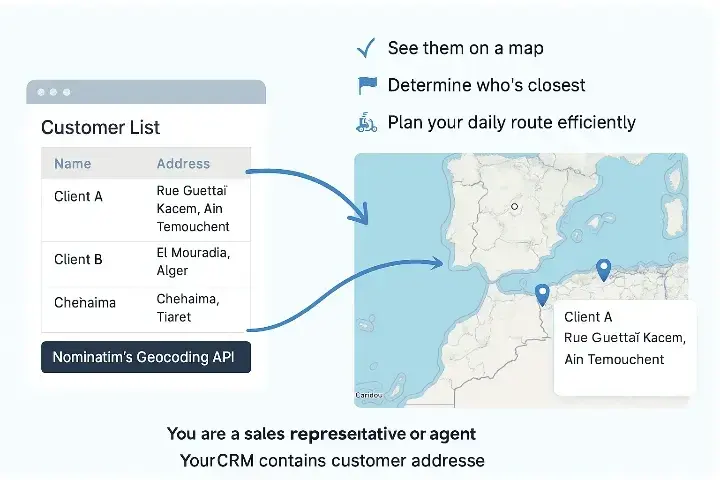
You are a sales representative or delivery agent. Your CRM contains customer addresses, but you need to:
- 🔍 See them on a map
- 🗺️ Determine who’s closest
- 🛵 Plan your daily route efficiently
Instead of manually entering coordinates for each address, you use Nominatim’s geocoding API to automatically convert customer addresses into latitude and longitude. The coordinates are then used to:
- Plot them on a map
- Find nearby clients
- Visualize geographic clusters of demand
This improves efficiency, accuracy, and decision-making.
🔍 What Is the Nominatim API?
The Nominatim API is part of the Deploily Geospatial Suite. It is a modern, secure, and hosted version of the well-known Nominatim engine, used to convert:
🧭 1. Forward Geocoding (Address ➡️ Coordinates)
This process allows you to transform a human-readable address into its corresponding latitude and longitude. It’s essential for:
- Placing customers on a map
- Powering delivery or logistics software
- Auto-filling location fields
- Storing structured location data in your database
Example:
Input: "El Mouradia, Alger"
Output: latitude: 36.7473, longitude: 3.0506
🗺️ 2. Reverse Geocoding (Coordinates ➡️ Address)
This feature lets you convert GPS coordinates into a readable address or place name. It’s particularly useful when:
- A user shares their current location (via GPS)
- You want to detect the closest city, town, or district
- Your app needs to label map pins or delivery points
Example:
Input: latitude: 36.7473, longitude: 3.0506
Output: "El Mouradia, Daïra Sidi M'Hamed, Alger, Algérie"
📘 You can also read the full API documentation here: Nominatim API Docs
🖥️ Project: Geocode & Map Clients with Python + Flask + Leaflet
This project shows how to:
- Import a list of clients with addresses
- Use the Nominatim API to get coordinates
- Store the data in a SQLite database
- Display everything on an interactive map
🔗 Clone the Project
git clone
https://github.com/transformatek/geospatial-apis-python-tutorials.git
cd geospatial-apis-python-tutorials
📦 Install Dependencies
pip install -r requirements.txt
🔐 Set Your API Key
export API_KEY=your_api_key_here
How the Script Works
Let’s break down the Python script into clear, documented steps.
1. Load API Key from Environment
import os
API_KEY = os.getenv("API_KEY")
2. Call the Deploily NOMINATIM
params = {"q": "El Mouradia, Alger", "format": "json"}
response = requests.get("https://api.deploily.cloud/nominatim/search", params=params, headers=HEADERS_JSON)
The script:
- Loops through client addresses
- Fetches coordinates via the API
- Inserts them into clients.db
Run it:
python3 nominatim.py
2️⃣ Run the Web Map
python3 app.py
Visit: http://localhost:5000
You'll see an interactive Leaflet.js map with all client markers!
📁 Source Code
You can find the full source code here:
How to Subscribe and Get an API Key for Nominatim API on Deploily
Follow these simple steps to subscribe to the Nominatim API and generate your API key in just a few minutes.
✅ Step 1: Visit the Deploily Website
Go to the official website:
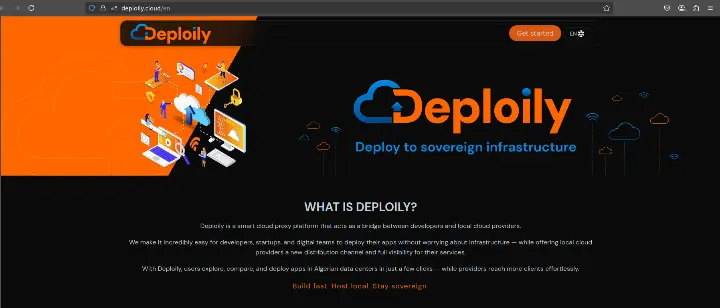
Then click on “Get Started” to access the API Developer Portal.
🌐 Step 2: Access the Developer Portal
You will be redirected to
🔗 https://console.deploily.cloud/en/portal/home
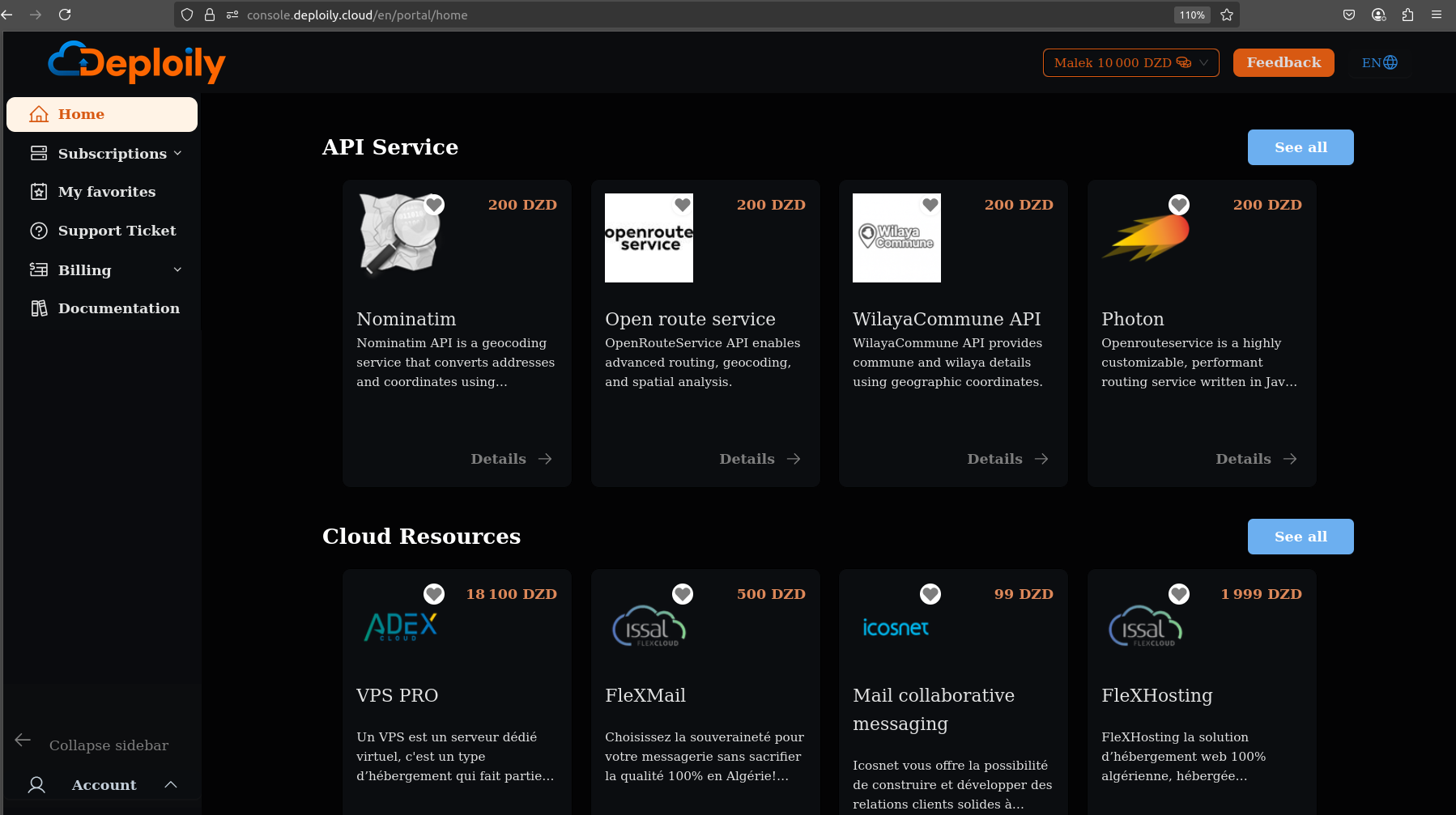
Here, you will see a list of available APIs. Look for Nominatim API.
🔍 Step 3: Choose Your API Plan
Click on Nominatim API to see the details. Then choose a pricing plan
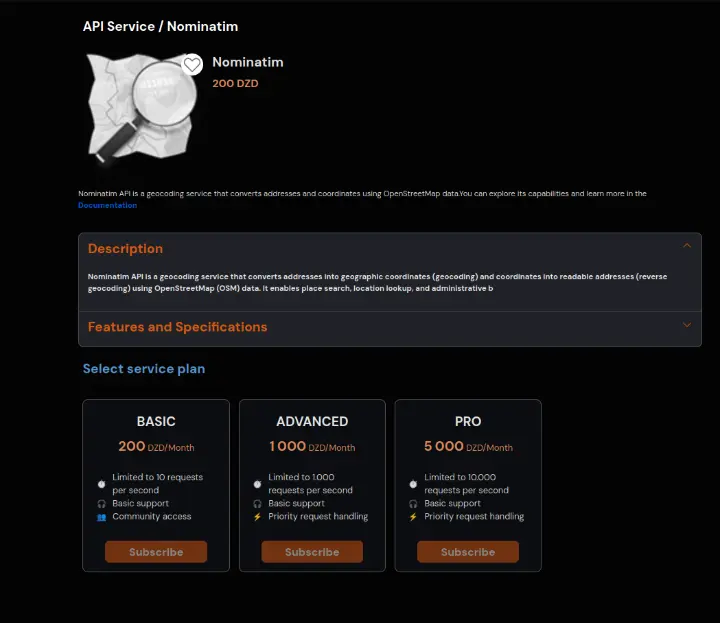
Click on the Subscribe button and confirm your subscription.
🔐 Step 4: Access Your Subscriptions and Generate Your API Key
After subscribing:
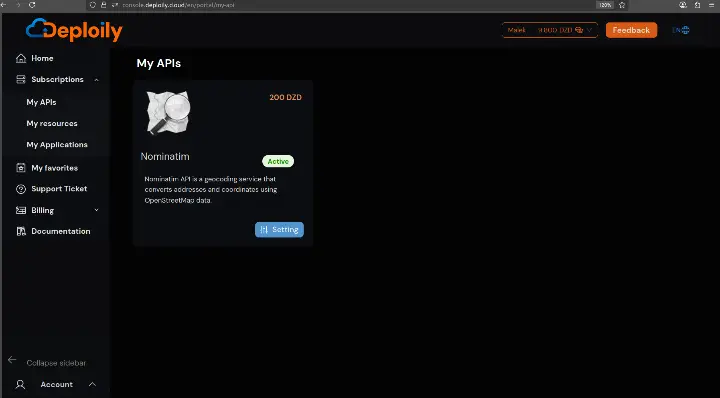
1.Go to the “My APIs” section.
2.Find your subscription to Nominatim API.
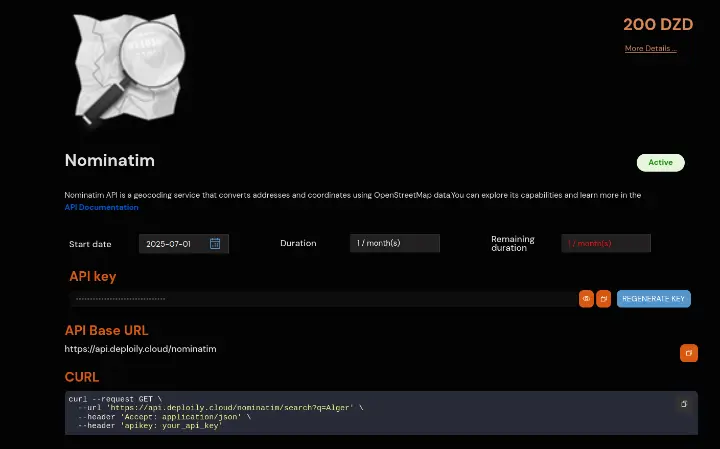
3.Click on “Settings”.
4.Click “Generate Key” to obtain your API key.
💡 Step 5: Test the API with Curl
Click on “API Documentation”
✅ Step 1: Go to the API Test Interface
✅ Step 2: Add Your API Key
✅ Step 3: Fill in the Required Parameters
✅ Step 4: Send the Request
✅ Step 5: Check the Response
If successful, you’ll get a JSON response like this:
[
 {
  "lat": "36.7473392",
  "lon": "3.0506705",
  "name": "El Mouradia",
  "display_name": "El Mouradia, Daïra Sidi M'Hamed, Alger, Algérie"
 }
]
place_id: A unique identifier for this location in the Nominatim database. Useful for referencing a specific place in future queries or lookups.
lat: The geographic latitude of the found address. For example, 35.3032 indicates a position north of the equator.
lon: The geographic longitude of the found address. For example, -1.1418 indicates a position west of the Greenwich meridian.
name: The main name of the place as known in OpenStreetMap. In this case, it’s the name of the street, e.g., "Rue Guettaï Kacem".
display_name: A full, human-readable address including district, city, and country. Very useful to display on maps or in user interfaces.
🧭 Conclusion: Bring Geolocation to Life with Deploily Nominatim
Whether you're building a delivery app, a CRM with location awareness, or a data dashboard with mapped insights — accurate geocoding is at the heart of it all.
The Nominatim API by Deploily gives you the power to transform any address into precise coordinates, or vice versa, in just one API call — securely, reliably, and at scale.
Stop manually entering coordinates.
Start building smarter, location-driven applications today.
🔗 Get your API key now at deploily.cloud
📘 And dive into the full documentation here: https://docs.deploily.cloud/docs/nominatim