
Introduction
If your application needs location search, address autocomplete, or reverse geocoding, the Photon API is a powerful tool worth considering. Built on top of OpenStreetMap data, Photon offers a fast and flexible alternative to traditional geocoding services. Whether you're building a web platform, mobile app, or backend service, Photon enables accurate, real-time geographic search with strong performance, full customization support, and reliable global coverage. It’s ideal for developers looking for open data, adaptability, and a seamless experience in location-based applications.
🔍 Use Case: Autocomplete Location Search with Photon API
Scenario:
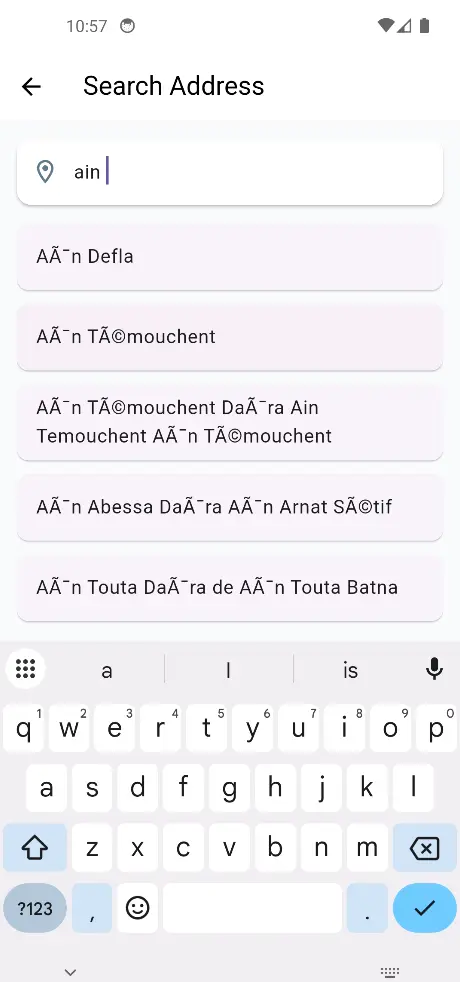
You want to improve the user experience by providing real-time location suggestions as users type addresses, cities, or places into a form. Instead of relying on outdated dropdown lists or static data, you integrate a smart search bar powered by Photon.
How It Works:
- The user begins typing an address or location.
- You send the input query to the Photon API.
- Photon returns a list of matching places, ranked by relevance.
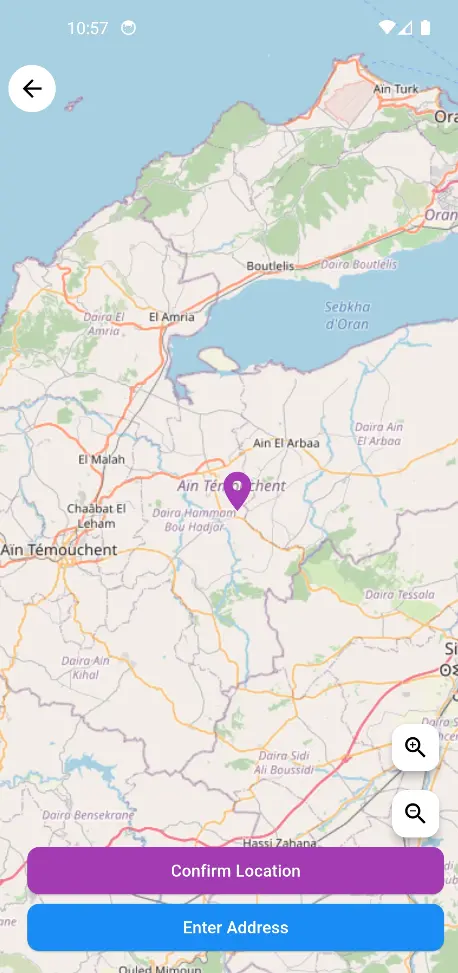
- The user selects the correct suggestion.
- You get detailed geographic data (name, coordinates, country, etc.).
Benefits:
- ✅ Real-time, type-ahead suggestions
- 🧠 Smarter user input with fewer errors
- ⚡ Faster and more intuitive search
- 📍 Ideal for maps, delivery forms, bookings, and logistics apps
🌍 What Is the Photon API?
Photon is a high-performance, open-source geocoding API powered by OpenStreetMap data. It enables applications to:
- Perform fast forward geocoding (search input → location)
- Get detailed place data like city, region, country, and coordinates
- Integrate autocomplete and search-as-you-type features
Photon is designed for developers who want flexibility, global coverage, and a modern API experience — all while using open geographic data.
📘 You can also read the full API documentation here : Photon API Docs
📍 Project: Address Autocomplete with Photon API
This project demonstrates how to:
- Search addresses with Photon API (powered by OpenStreetMap)
- Display results in real time
- Select an address and show it on an interactive Flutter Map
- Get the coordinates (latitude, longitude) of the selected place
🔗 Clone the Project
git clone https://github.com/transformatek/flutter-examples.git
cd flutter-examples
📦 Install Dependencies
Make sure you have Flutter installed, then run:
flutter pub get
🔐 Get Your API Key from deploily & set in your code
'apikey': 'your_api_key'
⚙️ How the Photon Service Works in Flutter
Let’s break down the logic of address search and reverse geocoding using the Photon API (via Deploily) in a Flutter app.
The API key is added in the request header:
final headers = {
  'accept': 'application/json',
  'apikey': 'your_api_key', // Replace with your real API key
};
Search for an Address (Autocomplete):
final uri = Uri.parse("https://api.deploily.cloud/photon/api");
final params = {"q": "El Mouradia, Alger"};
final response = await http.get(uri.replace(queryParameters: params), headers: headers);
- The API returns a list of matching locations.
- The app shows autocomplete suggestions.
- When a user selects one, the map moves to its coordinates.
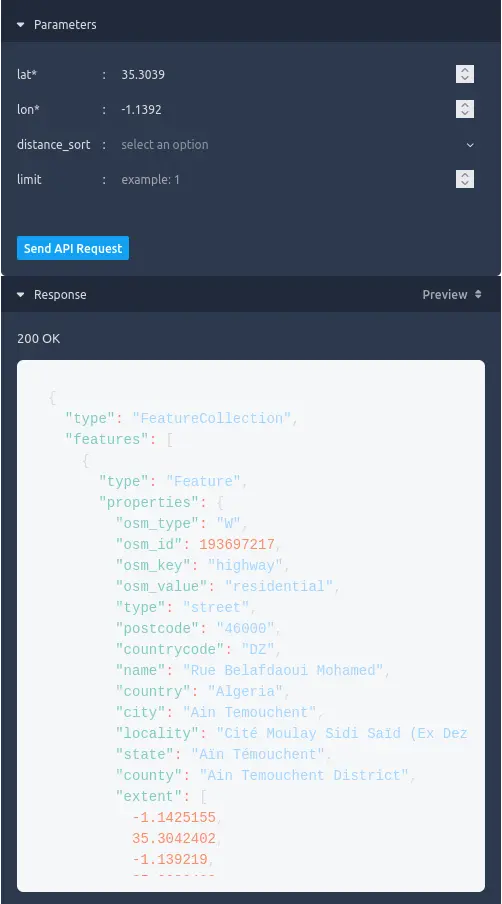
Reverse Geocoding (Get Address from Coordinates):
final params = {"lat": "36.7529", "lon": "3.0420"};
final reverseUri = Uri.parse("https://api.deploily.cloud/photon/reverse");
final response = await http.get(reverseUri.replace(queryParameters: params), headers: headers);
- The API returns a list of matching locations.
▶️ Run the App
flutter run
🗺️ Output
You’ll see a Flutter app where users can:
- Enter address keywords
- Get smart suggestions in real time
- Tap to see the location on the map with a marker
📁 Source Code
You can find the full code on GitHub:
🔗 Photon github repository
🔐 How to Subscribe and Get an API Key for Photon API on Deploily
Follow these simple steps to subscribe to the Photon API and generate your API key in just a few minutes.
✅ Step 1: Visit the Deploily Website
Go to the official website:
🔗 https://deploily.cloud/en
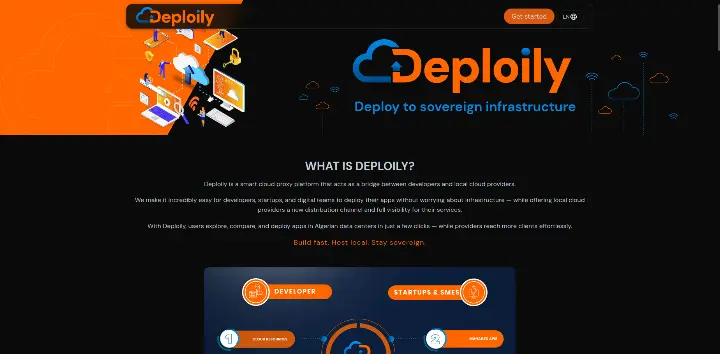 Then click on “Get Started” to access the API Developer Portal.
🌐 Step 2: Access the Developer Portal
You will be redirected to:
🔗 https://console.deploily.cloud/en/portal/home
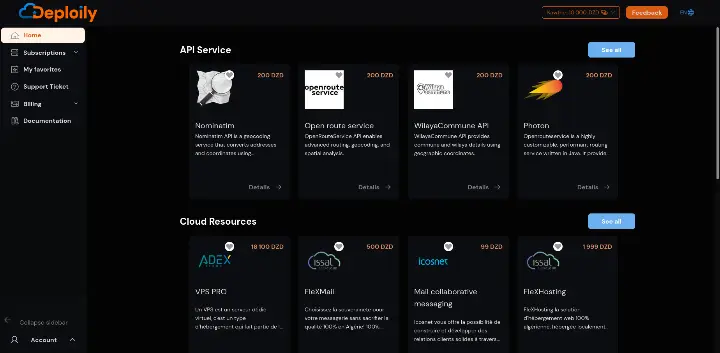 Here, you will see a list of available APIs. Look for photon API.
🔍 Step 3: Choose Your API Plan
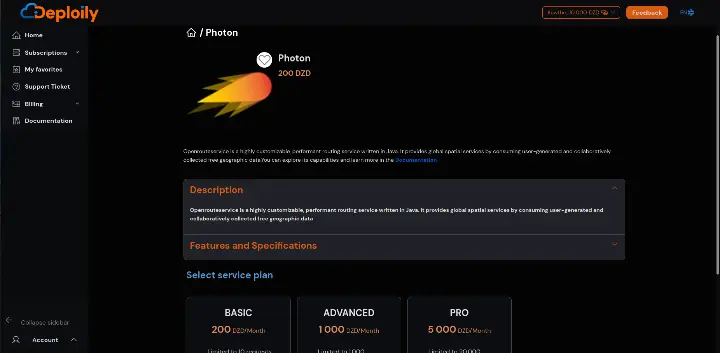
Click on photon API to see the details. Then choose a pricing plan
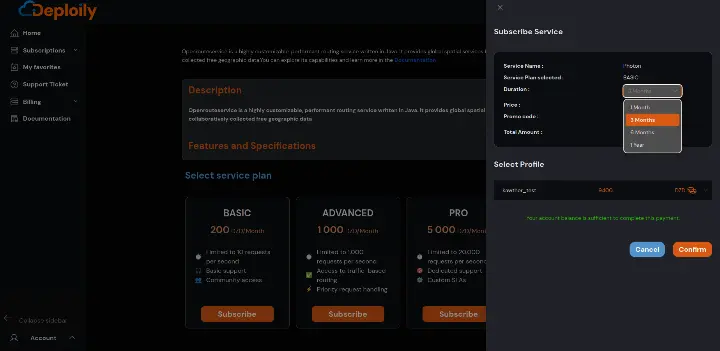
Click on the Subscribe button, specify the subscription period that meets your needs and confirm your subscription.
🔐 Step 4: Access Your Subscriptions and Generate Your API Key
After subscribing:
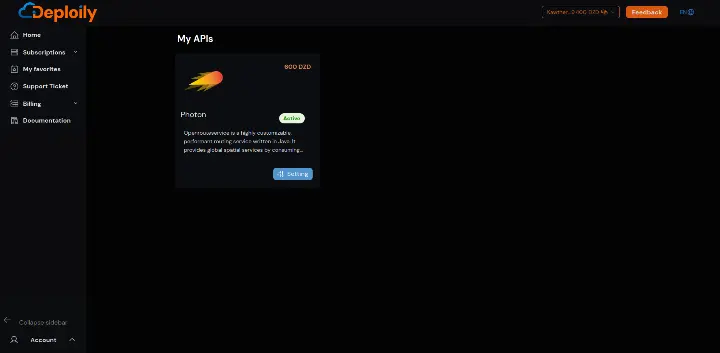
1.Go to the “My APIs” section.
2.Find your subscription to PHOTON API.
3.Click on “Settings”.
4.Click “Generate Key” to obtain your API key.

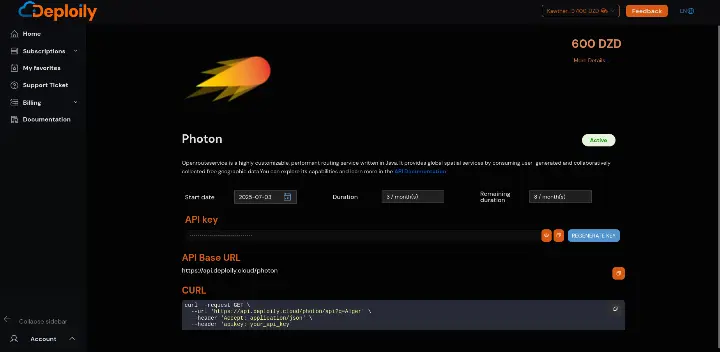
You have the option to regenerate the token if it is no longer functional.
💡 Step 5: Test the API with Curl
Click on “API Documentation”
Endpoints available:
Geocoding
Reverse
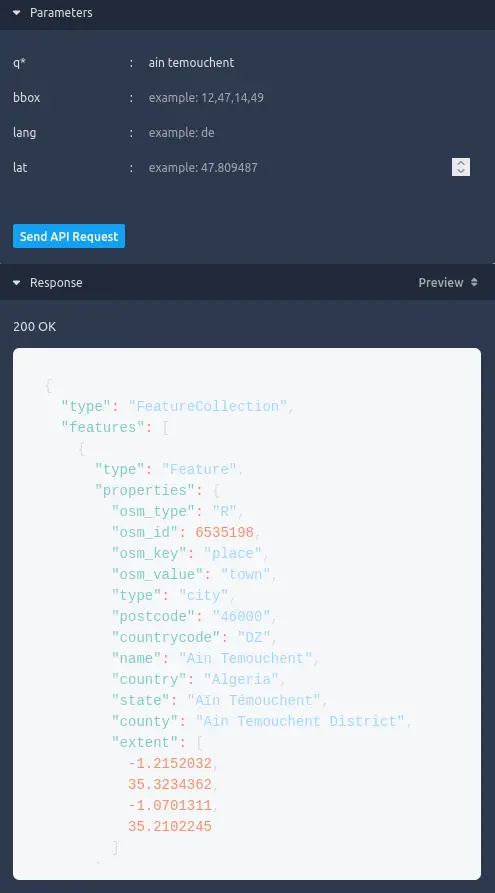
- in API Test Interface:
- Add Your API Key generated.
- Fill in the Required Parameters & send request
✅ Result
If everything is correct, you’ll receive a live JSON response like this:
🌐 Conclusion: Power Smarter Address Search with Deploily Photon
Whether you're building a location-based form, a map-powered app, or a real-time logistics platform — fast and intuitive address search makes all the difference.
The Photon API by Deploily brings intelligent autocomplete and geocoding to your app with just one API call — delivering fast, accurate, and scalable results powered by open data and modern infrastructure.